How to activate the support for the SpaceMouse in Google Earth Desktop
In Google Earth Desktop the support for the SpaceMouse is not enabled by default. You have to enable it manually:
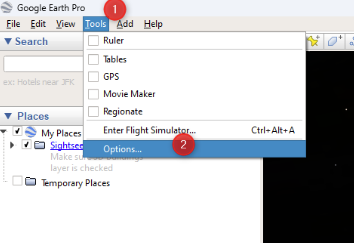
- Open Google Earth Pro
- Go to Tools – Options
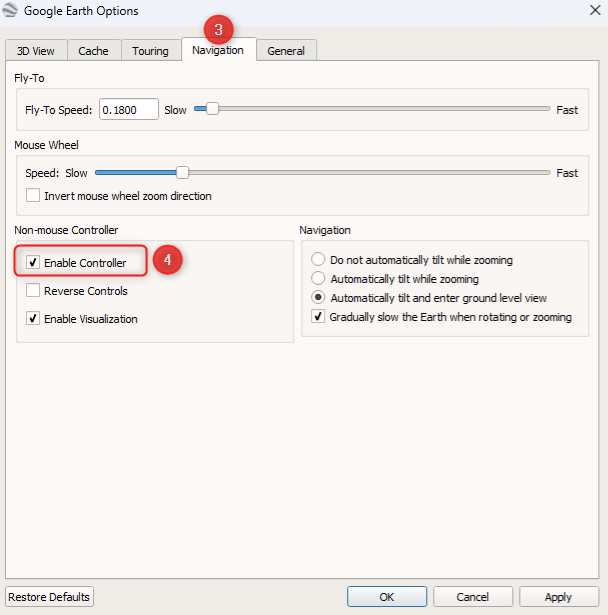
- Open the “Navigation” tab
- Activate the option: “Enable Controller” in the “Non-mouse Controller” section