

Unity and 3Dconnexion
Elevate your workflow and efficiency
Unity is a real-time development platform, a 3D, 2D VR and AR engine allowing users to build real-time 3D projects for various industries – games, animation, automotive, architecture, and more.
Whether for your scene design, animation, simulation, or even previsualization workflows, 3Dconnexion devices allow an opportunity not found elsewhere to create at a level of understanding and efficiency unmatched by any other hardware/software in the 3D space.
For more information on how to configure 3DxWare with Unity, see our Knowledge Base.

SpaceMouse
Fast and precise control
Get the optimal perspective for making decisions, and instantly understand the impact of your choices.
- Quickly and intuitively control your camera about the x, y, z axes
- Five camera modes and features such as axis lock, standard views and more
- Different perspectives for different purposes: walk mode (end user), target camera mode (designer), object mode (animator).
More efficient workflows
Explore the power of using both hands simultaneously, and make your entire workflow smoother and more productive.
- Free up the mouse cursor for command interaction (e.g. scaling and transforming)
- Speedier, more efficient workflows than a standard mouse/keyboard configuration
- Simultaneous pan, zoom, and rotate (camera control, perspective).
- Non-macro command assignment for customized workflows.
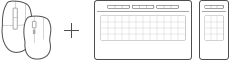
CadMouse and Keyboard Pro with Numpad
Enhance your creation process
Take advantage of dedicated features that will make your workflow easier and more efficient at the same time.
- Simultaneous scene pan and command select
- Quick camera zoom while maintaining intuitive model control
- Efficient radial menu command access
- On-screen display of commonly used commands for efficient workflow organization
- Direct non-macro command access for more flexible workflows.
Learn more about CadMouse
Learn more about Keyboard Pro with Numpad
Which features are available?
SpaceMouse
Unity Navigation
- Object Mode
- Fly Mode
- Target Camera Mode
- Drone Mode
- Walk Mode
- Move objects
- Horizon Lock
- Rotation Lock
- Selected Item Rotation Center

CadMouse

Keyboard and Numpad
Unity Tools
- Application commands
- Radial Menus
- Macros