SpaceMouse with slow performance in Autodesk Revit
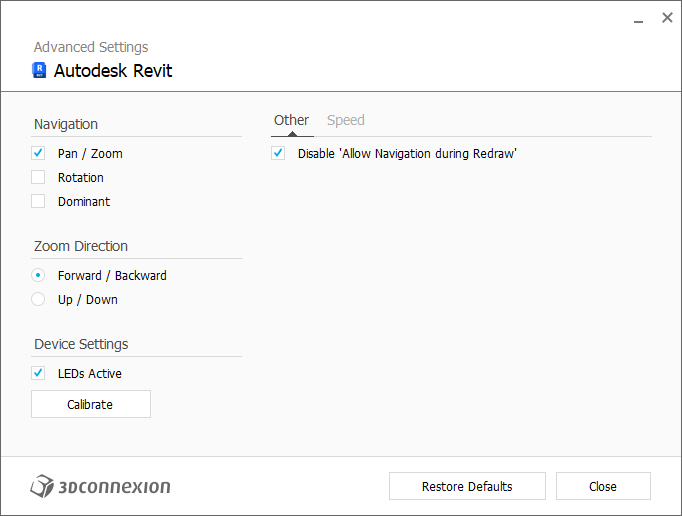
In case you’re experiencing a sluggish navigation, disabling the “Allow navigation during redraw” option can improve performance. However, this may cause flickering in the model view. This option is recommended especially when navigating in large models.
To disable “Allow navigation during redraw” go to 3Dconnexion Settings > Advanced Settings > Other > mark the checkbox Disable “Allow Navigation during Redraw”.