I cannot rotate (Tilt / Spin / Roll) in AutoCAD
You must be in a 3D Workspace in AutoCAD to rotate your model:
- Expand the “Workspace Switching” menu and activate “3D Modelling”
- Go to the “Visualize” tab
- Switch the Visual Style to e.g. “Wireframe”
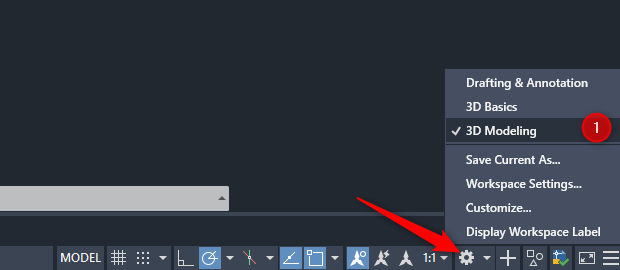
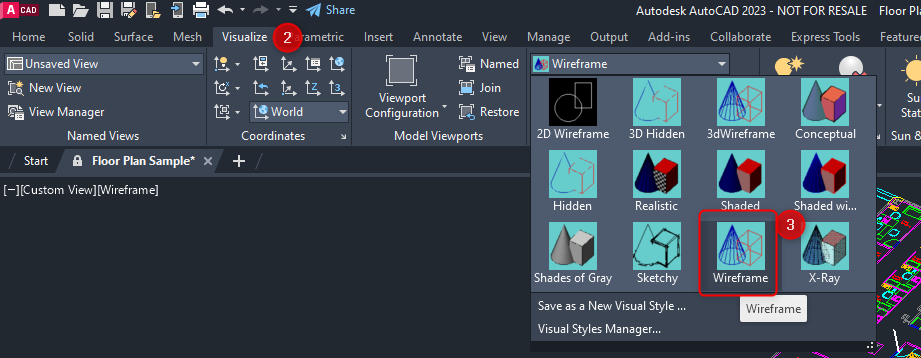
You must be in a 3D Workspace in AutoCAD to rotate your model: