

Unreal Engine and 3Dconnexion
Immersive, efficient real-time 3D creation
With Unreal Engine, you can bring amazing real-time experiences to life using this advanced real-time 3D creation tool. From first projects to the most demanding challenges in game creation, film & TV, architecture, automotive & transportation and more – Unreal Engine empowers everyone to realize their ambitions.
Including 3Dconnexion devices into your 3D creation workflows in Unreal Engine will make it more intuitive, immersive and productive.
For installation instructions, please refer to our Knowledge Base: 4.23-5.3, 5.4.

SpaceMouse
Intuitive and fast navigation
Directly connect with virtual objects and environments while translating and rotating complex spaces.
- Better understand your level/map/object design using flyover
- Smooth, fast and precise 6-axis control
- Explore player perspective with Walk Mode for inspecting/controlling
- Create a cinematic experience for your presentations.
Quick access to Unreal commands
Take advantage of the pre-set most-popular commands or customize your own.
- Fast and easy focus on your object of interest with Fit function
- Easily switch between speeds
- Instant access to your Content Drawer
- Direct access to object modifier modes and more.
Improved productivity and comfort
A better experience that provides you with more comfort at the same time.
- Benefit from using both hands simultaneously
- Unified experience / common interface across your 3D editing apps
- Improve comfort and posture during long design hours.

For me, using a SpaceMouse is a big change forward. The navigation is very fluid. You need to spend some time to modify the buttons and create radial menus for your personal workflow. But once you've done that, you can ditch your keyboard almost 90%+ or completely remove it. Especially if you have the mouse to bind some keys to the buttons and configure the extra radial menu button on the mouse.

Not only it is extremely easy to use to pan around your subject for a better product showcase, but also customizing your bindings for an even better productivity inside your favorite application.
Navigation in Twinmotion and Unreal Engine is incredibly smooth with the SpaceMouse.
I can steadily move my camera from one space to another, making product demo experiences visually better for myself and the viewer.
With the 3Dconnexion SpaceMouse, I can navigate with a single hand in my project, moving the camera and turning it in any direction at the same time without the need of using two hands which is very user friendly.
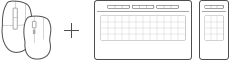
CadMouse and Keyboard Pro with Numpad
Efficiency and comfort
Access and customize even more commands through the dedicated features of the CadMouse and Keyboard Pro with Numpad.
- Simultaneous scene pan and command select
- Quick camera zoom while maintaining intuitive model control
- Efficient radial menu command access
- On-screen display of commonly used commands for efficient workflow organization
- Direct non-macro command access for more flexible workflows.
Learn more about CadMouse
Learn more about Keyboard Pro with Numpad
Which features are available?
SpaceMouse
Unreal Engine Navigation
- Object Mode
- Fly Mode
- Target Camera Mode
- Walk Mode1
- Drone Mode
- 2D Mode
- Move objects
- Other App Specific Modes2
- Auto Rotation Center
- Selected Item Rotation Center
- Horizon Lock
- Rotation Lock
Unreal Engine Views
- Fit View
- Standard Views
- Custom Views
Unreal Engine Tools
- Application commands
- Command icons
- Radial Menus
- Macros

CadMouse
Unreal Engine Views
- Fit View
- Standard Views
- Custom Views
Unreal Engine Tools
- Application commands
- Command icons
- Radial Menus
- Macros

Keyboard and Numpad3
Unreal Engine Tools
- Application commands
- Command icons
- Radial Menus
- Macros
- 1Not available on macOS
- 2Not available on Windows
- 3Not supported by macOS