3Dconnexion Plugin for Unity3D is not loading
There is an option for including Unity support during installation of 3DxWare which must be checked.
After installing 3DxWare and including the Unity3D plugin, install the plugin from the installation directory:
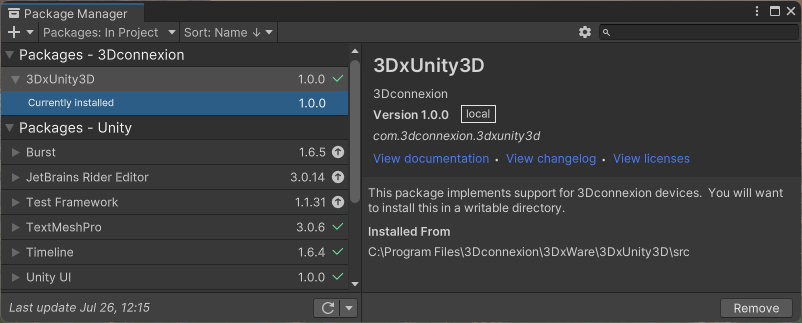
- Open the Package Manager in Unity (Window->Package Manager)
- Use the “+” at the upper left corner of the Package Manager to Add packages from disk…
- Browse to your 3DxUnity3D plugin directory. Typically C:\Program Files\3Dconnexion\3DxWare\3DxUnity3D\src
- Select the package.json file -> Open
The plugin should now be shown in the package manager, be added to your project and it should work in Edit and Play modes.