SpaceMouse settings – EDEM
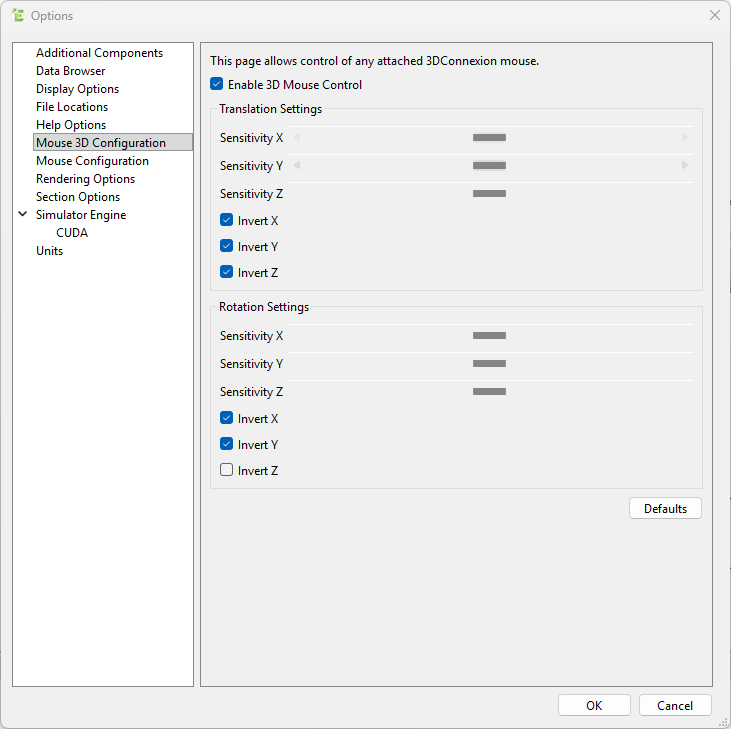
By default, EDEM has SpaceMouse navigation disabled and uses Target Camera navigation, which inverts most axes compared to Object Mode navigation.
To achieve a more intuitive and consistent experience, we recommend enabling SpaceMouse control and adjusting axis settings to match Object Mode behavior.
Steps to enable 3D Mouse control and “Object Mode” in EDEM:
- Go to the settings for the SpaceMouse (Tools > Options… > Mouse 3D Configuration)
- Enable 3D Mouse Control.
- In Translation Settings, check: Invert X, Invert Y, Invert Z.
- In Rotation Settings, check: Invert X, Invert Y.